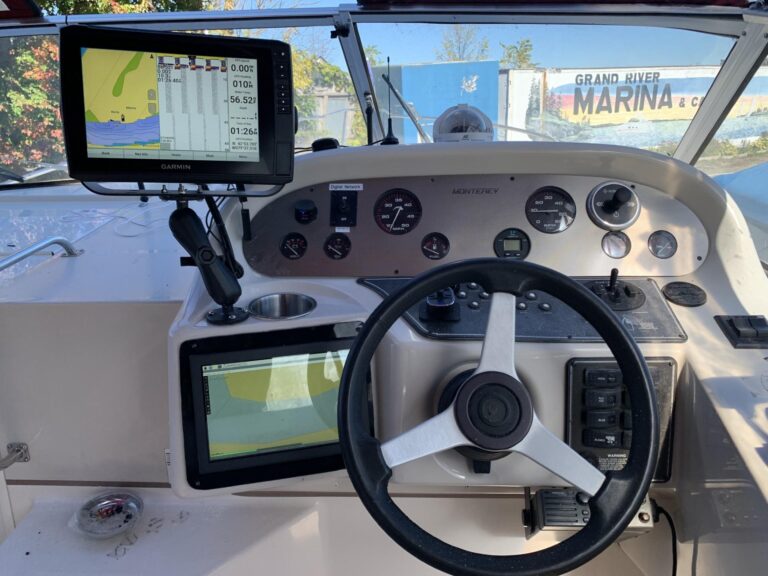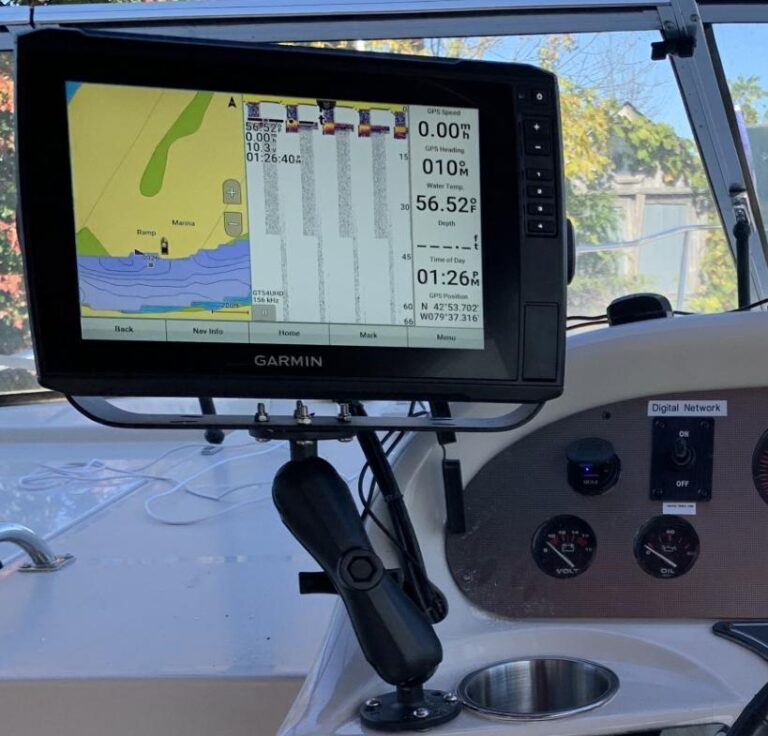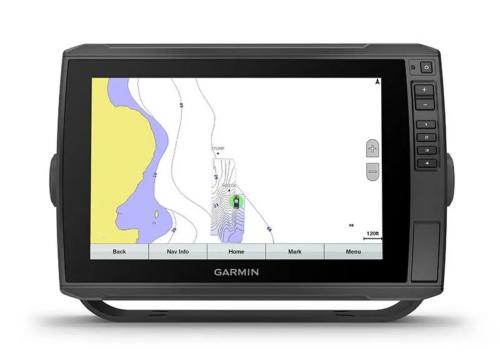

Adding a Garmin chart-plotter, an NMEA 2000 backbone, OpenPlotter on a Raspberry Pi, and a CX5106 converter was a huge leap forward. Suddenly, my 1994 Monterey wasn’t just a boat with good bones — it was a platform for digital innovation.
But here’s the truth: none of it matters if the power doesn’t hold.
Why Power Matters
Every new gadget — from a Bluetooth transmitter to a chart-plotter — draws from the same source: the boat’s batteries. And unlike a house, there’s no endless supply. If you don’t plan, you’ll either drain the bank or spend your day listening to alarms instead of music.
Think of it like this:
- Batteries = water tank
- Electronics = taps
- Charging = the hose filling the tank
Open too many taps without refilling, and you run dry.
Stage 1: Know Your Loads
I started by listing what I actually use:
- Garmin chart-plotter/fish finder
- Raspberry Pi with OpenPlotter + PICAN-M
- CX5106 converter feeding digital gauges
- Bluetooth/FM transmitter for music
- Cabin lights, bilge pumps, and the usual essentials
Each one sips or gulps power differently. The Garmin might draw 20–30 watts, the Pi another 10, pumps spike when they run, and lights add up. It’s not about exact math — it’s about awareness.
Stage 2: Build the House Bank
The original setup had one engine battery and one house battery. That’s fine for 1994, but not for a digital boat. The plan:
- Upgrade to a larger house bank (AGM or LiFePO₄)
- Add a smart charger for shore power
- Use an automatic charging relay (ACR) so the alternator tops up both banks without draining the starter
Stage 3: Silent Replenishment
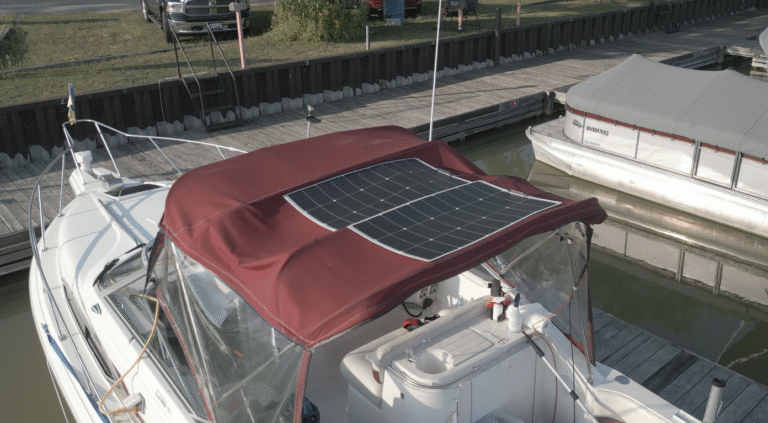
Running the engine just to charge electronics is noisy and wasteful. The solution: solar. Even 100–200 watts of panels can keep the digital layer alive at anchor. With an MPPT controller, every ray of sun goes to work.
Stage 4: Efficiency Wins
- Swap cabin lights to LEDs
- Put electronics on labeled switches so I can shut them off when not needed
- Use battery monitoring to see real-time draw and state of charge
Why This Upgrade Matters
This isn’t just about keeping Spotify playing. It’s about building confidence. When I know my power system is solid, I can push further — longer trips, more tech, even overnighting without fear of a dead bank.
The digital backbone is in place. Now the power foundation is catching up.
Digital Upgrade: Building the Power Foundation
Electronics are only as good as the power behind them. With a Garmin chartplotter, OpenPlotter on a Raspberry Pi, and an NMEA 2000 backbone in place, it was time to face the next big question: how do I keep it all running without fear of draining the batteries?
The New Power Bank
The answer started with batteries. I added two 150Ah lithium batteries as the heart of the new house bank. Compared to lead‑acid, lithium gives me:
- More usable capacity (you can safely use 80–90% of the charge)
- Faster charging
- Longer lifespan
That’s 300Ah of reliable power — a serious step up from the original setup.
Solar for Silent Charging
Next came 200 watts of solar panels. Even on cloudy days, they’ll trickle in enough to keep the digital layer alive. On sunny days, they’ll top up the bank while I’m at anchor. With a proper MPPT controller, every watt gets used efficiently.
Shore Power Integration
When I’m tied up at the dock, I can plug into 120V shore power. A smart charger will handle the lithium bank, topping it up without overcharging. This way, I start every trip with full batteries.
Alternator Charging: DC‑to‑DC
But what about when I’m underway? That’s where a DC‑to‑DC charger comes in. It takes power from the boat’s alternator and safely charges the lithium bank while also protecting the starting battery. The benefits:
- Keeps the engine battery isolated and safe
- Provides the correct charging profile for lithium (which alternators alone can’t do)
- Lets me use engine run time to replenish the house bank
Safety First: Fuses and Shutoffs
Adding power isn’t just about capacity — it’s about control and protection. Every new circuit needs:
- Proper fuses sized for the load and wire gauge
- Manual shutoffs so I can isolate batteries or devices in an emergency
- Clean wiring runs with marine‑grade connectors to prevent shorts and corrosion
This way, if something goes wrong, I can shut it down before it becomes a bigger problem.
Why This Matters
This upgrade isn’t flashy like a new radar dome or autopilot, but it’s the foundation. With a solid power system, I can:
- Run digital electronics without fear of draining the bank
- Stay at anchor longer with solar keeping things topped up
- Charge underway, at dock, or off the sun — three ways to stay powered
- Build confidence that every new gadget has a safe, fused, and controlled place in the system
The dream of a digitized, automated boat doesn’t start with software. It starts with power. And now, the foundation is in place.